The iPad has a funny relationship with its own potential. Apple builds these devices with silicon that outpaces many laptops, pairs them with displays that creative professionals genuinely covet, sandwiches everything into one impossibly sleek slab of glass and aluminum… and then just announces them without obsessively planning the broader ecosystem. The Magic Keyboard, while capable, is expensive, as is the Pencil. One confines you to a laptop-style of using, the other to a conventional tablet. This, I believe, is Apple building a symbiotic relationship with third-party accessory makers who, more often than not, do a better job than Apple at really planning an ecosystem around powerful devices like the iPad Pro… and at a much lower price point.
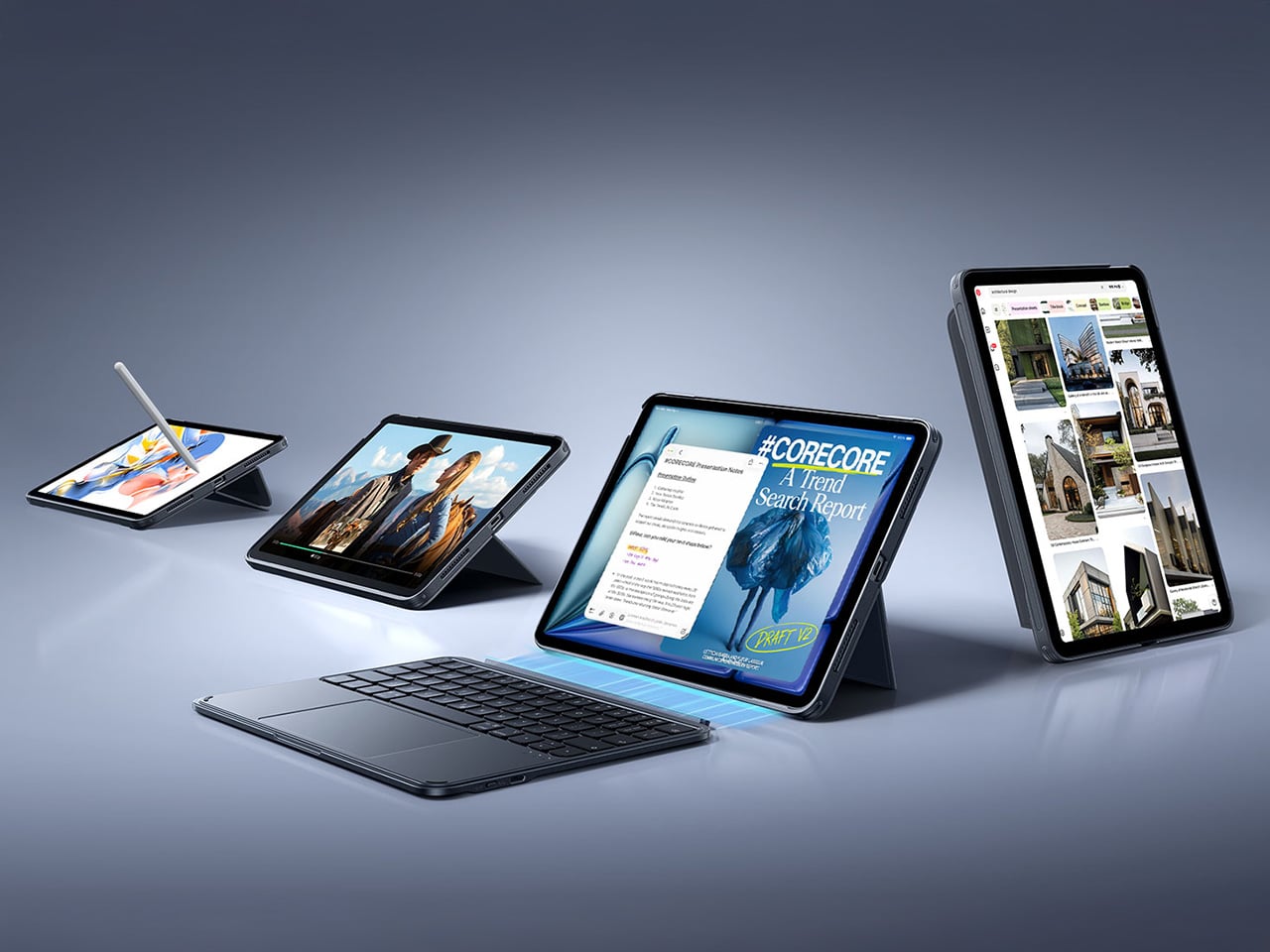
ESR has made a habit of knowing how to harness the iPad’s hybrid potential correctly. The Shift Keyboard Case (Detachable) and the Geo Digital Pencil read like two products designed by people who use an iPad seriously and got tired of being held back. One brings detachable keyboard flexibility and a generous trackpad to a category Apple makes expensive and rigid. The other brings Find My tracking and Bluetooth shortcuts to stylus use, features that make you wonder why they were ever considered optional. Together, they close the loop on what a well-designed iPad workflow actually needs.
ESR Shift Keyboard Case: Designed Around How People Actually Use an iPad
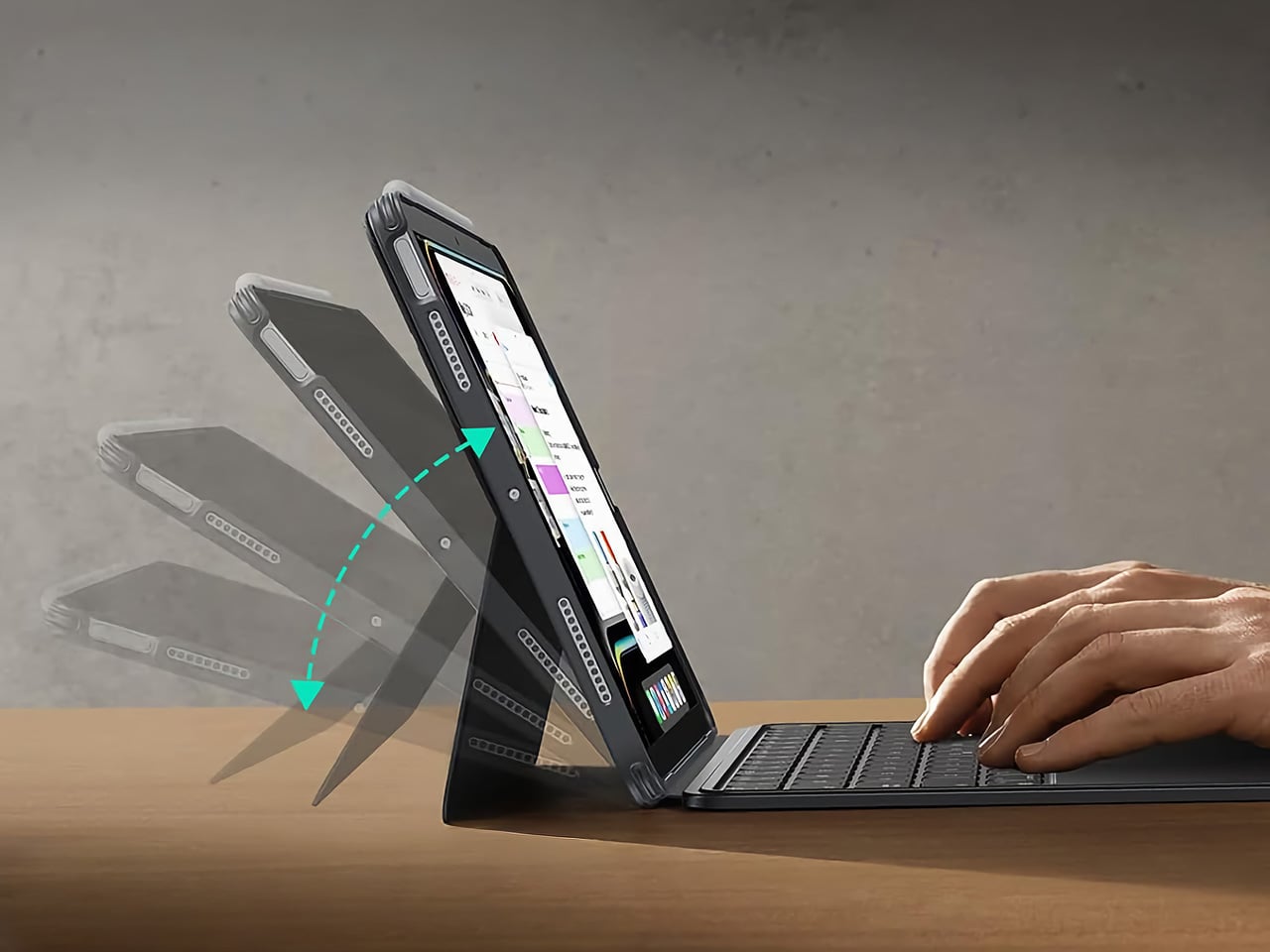
The biggest issue with turning an iPad into a laptop has always been the finality of it. Most keyboard cases, including Apple’s own, lock the device into a landscape, clamshell-style format that feels clumsy the moment you want to use it as a tablet again. The Shift Keyboard Case is built around a strong magnetic connection that sidesteps this entire problem. The keyboard half simply lifts away from the stand and case, leaving the protected iPad behind. This design treats the keyboard as a powerful, dedicated tool you bring in for serious typing, not as a permanent attachment you have to constantly wrestle with. It’s a simple mechanical solution to a complicated user experience problem, and it fundamentally changes how you approach the device.
When the keyboard is attached, the setup feels remarkably committed to a proper laptop workflow. ESR put a large, click-anywhere trackpad at the center of the design, which is the correct choice now that iPadOS has such robust cursor support. It lets you navigate, select text, and use gestures without your hands ever leaving the typing area. The keys themselves are backlit, with enough travel to feel responsive for long-form writing rather than just firing off a quick email. This combination of a full-featured keyboard and a genuinely usable trackpad is what separates a serious work setup from a temporary compromise, and it’s clear which side of that line ESR was aiming for.
Once you detach the keyboard, the other half of the product’s intelligence becomes apparent. The remaining case and stand function independently, offering multiple viewing angles in both landscape and, crucially, portrait orientation. This is a detail that many competitors miss entirely. Being able to set the iPad up vertically for reading documents, coding, or taking video calls respects the fact that not all work happens in a 16:9 window. The stand mechanism is sturdy enough to support the iPad securely on a desk, making it a useful tool for media viewing or as a secondary display, all without the keyboard taking up space.
Putting it all together, the Shift case presents a complete, two-part system that adapts to the task at hand. The protective shell keeps the iPad safe, while the keyboard and stand components offer a level of functional flexibility that feels genuinely thoughtful. It’s a design that acknowledges the iPad is not a laptop, nor is it just a tablet; it’s a hybrid device that thrives when its accessories allow it to switch between roles effortlessly. The entire package is less about forcing the iPad into a new shape and more about giving its existing, versatile shape the tools it needs to be useful in more situations.
Why We Recommend It
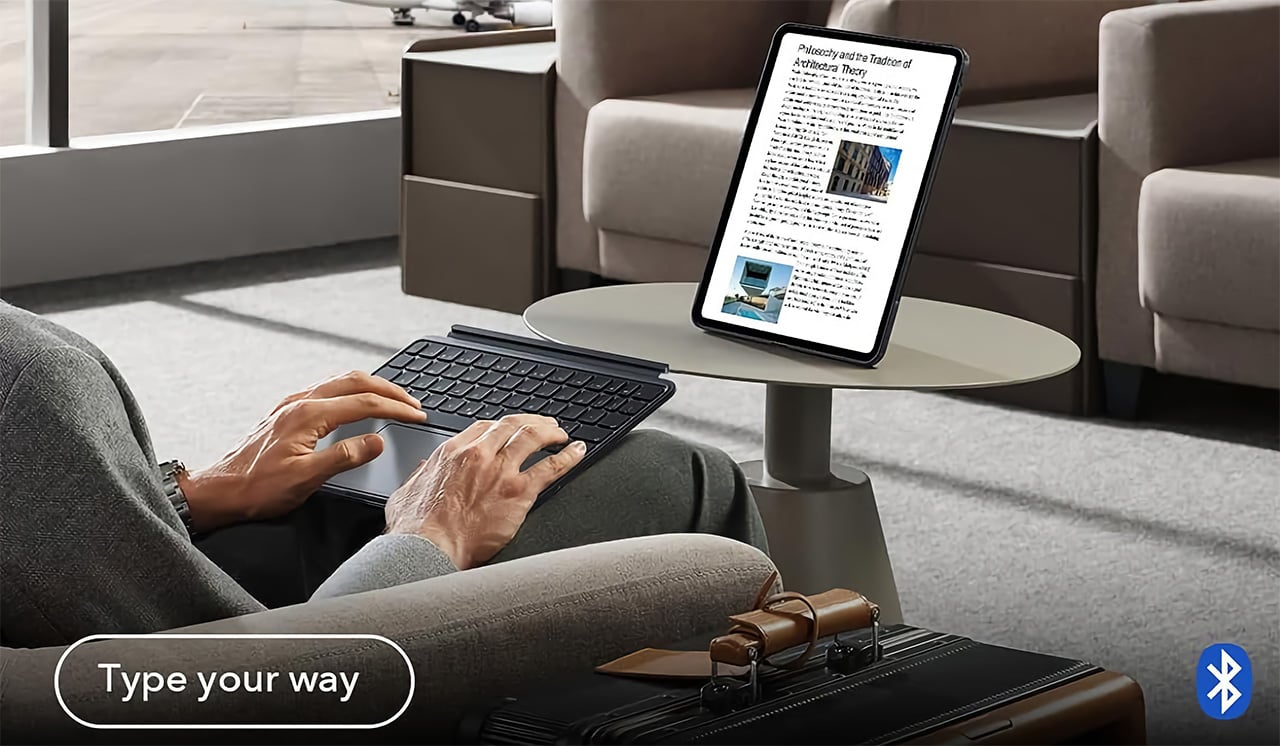
At $89.99, the Shift Keyboard Case costs roughly a fifth of what Apple charges for the Magic Keyboard, and that price gap alone would almost be enough. What makes the recommendation easy, though, is that the Shift Case actually offers something the Magic Keyboard doesn’t: the ability to leave the keyboard behind entirely. Apple’s solution commits you to a permanent clamshell, while the Shift Case treats that keyboard as a deployable tool with a specific job to do. For anyone who uses their iPad across genuinely different contexts, a desk in the morning, a couch in the evening, a bag in between, that modularity has real, daily value. The backlit keys and click-anywhere trackpad raise the floor on what a $90 keyboard case is supposed to feel like, making it difficult to justify spending more for fewer options.
Click Here to Buy Now: $89.99 | Amazon Link Here.
ESR Geo Digital Pencil: A Stylus That’s Actually Hard to Lose
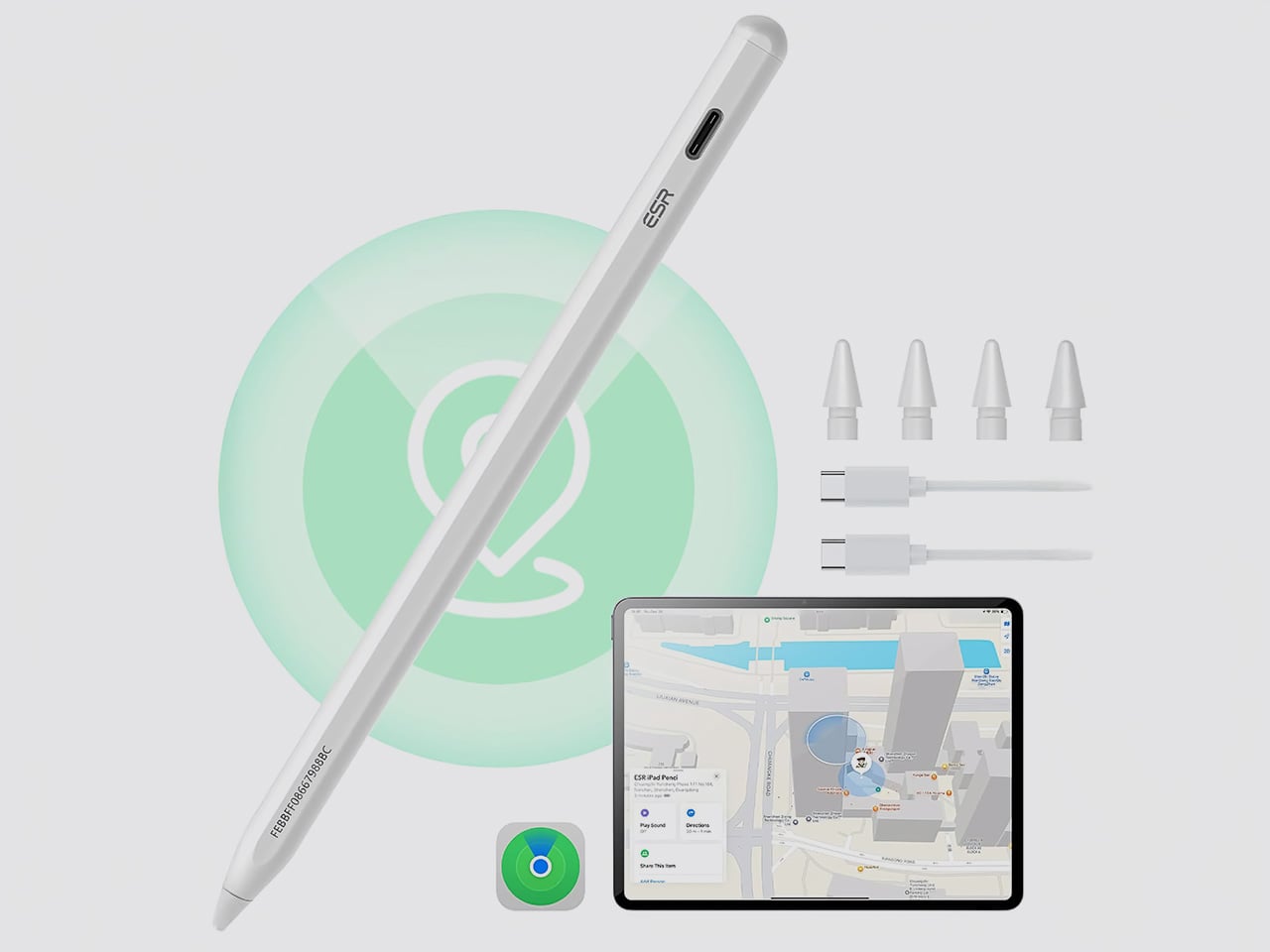
The most intelligent feature in the Geo Digital Pencil has nothing to do with drawing. It’s the integration of Apple’s Find My network, a decision so logical it feels like an oversight on Apple’s part. Not only can you locate the stylus using Apple’s Find My, you can even ping it through the app, causing the stylus to emit an audio alert for helping find it easily. This elevates the stylus from an easily misplaced accessory into a trackable piece of hardware, just like an AirTag or a pair of AirPods. Losing a stylus between sofa cushions or leaving it behind in a cafe is a common, expensive problem. By making the Geo Pencil locatable on a map directly within the Find My app, ESR has addressed a genuine point of user anxiety with a clean, native software solution that requires no extra apps or dongles.
Standardizing on a USB-C charging port was the other correct, user-first decision. It aligns the pencil with the charging ecosystem of the iPad, the Mac, and countless other modern devices, eliminating the need to carry a separate, proprietary cable. The port is discreetly located near the top of the stylus, allowing for a full charge in just 20 minutes, which is fast enough to rescue a dead battery right before a meeting or class. This commitment to a universal standard removes a significant point of friction from the daily workflow, acknowledging that convenience is a critical feature in any tool you rely on.
For actual creative and navigational input, the pencil delivers the features that cover the majority of use cases. It has full tilt sensitivity, allowing you to vary line thickness for shading in apps like Procreate, and its palm rejection is reliable enough for you to rest your hand on the screen while writing. While it doesn’t include pressure sensitivity, a feature reserved for high-end artistic work, it adds utility elsewhere. Once paired over Bluetooth, the top button becomes a shortcut key: a single tap returns you to the home screen, and a double tap opens the multitasking view, turning the stylus into a capable system remote.
These thoughtful features add up to a tool designed for the realities of daily use. The pencil snaps magnetically to the side of compatible iPads for easy storage, and its weight and balance feel comfortable for long note-taking sessions. It operates with pixel-perfect precision and no discernible lag, behaving exactly as you would expect a native stylus to. The Geo Digital Pencil is a clear example of a product designed to complete an experience, addressing the practical needs of organization, charging, and system navigation that make an iPad a genuinely more capable device.
Why We Recommend It
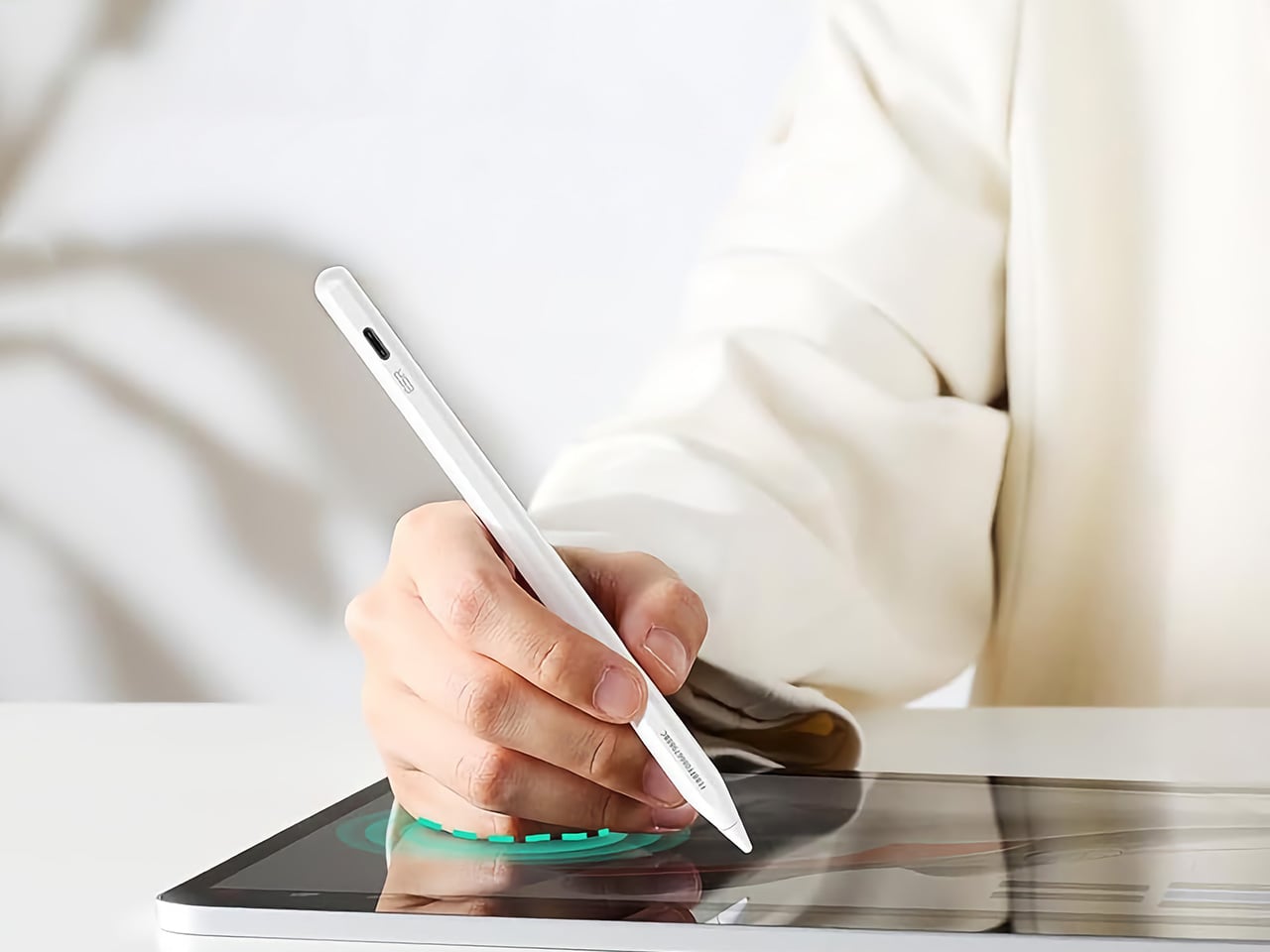
The Apple Pencil USB-C, Apple’s most affordable stylus, retails at $79 and offers no Find My support, no Bluetooth shortcuts, and no battery indicator. The Geo Digital Pencil costs $32.99 and has all three. That comparison does most of the heavy lifting, but the more interesting case for the Geo Pencil is what it means for the kind of person who carries an iPad between locations constantly, students, freelancers, people working from cafes and conference rooms. Styluses disappear. They roll off desks, get left in bags, and turn up missing at the worst possible moment. Having Find My baked in at this price point converts a frustrating accessory into a dependable one, and that reliability is worth more in practice than any spec on a sheet. The 20-minute full charge via USB-C keeps it from becoming another thing you have to carefully manage, and the tilt sensitivity and Bluetooth shortcuts round out a package that punches well above its category.
Click Here to Buy Now: $32.99 $36.99 (11% off). Hurry, deal ends in 48-hours! Amazon Link Here.
The post Two ESR Accessories That Fix the iPad’s Most Frustrating Problems first appeared on Yanko Design.


0 Commentaires